
Search transactions
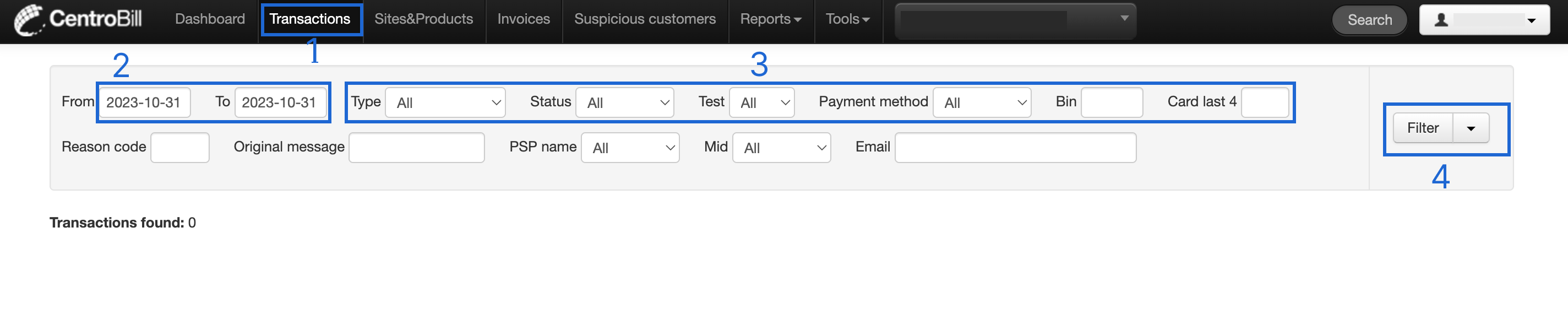
To search for transactions, follow these steps:
- Click Transactions in the top navigation bar. This action opens the transactions page.
- Select the preferred time frame using the calendar's date range selection.
- Apply additional filters if needed. For example, set the transaction status or type.
- Click Filter to generate a list of transactions.
NoteWe recommend choosing only a short period to search for transactions to not overload the system.
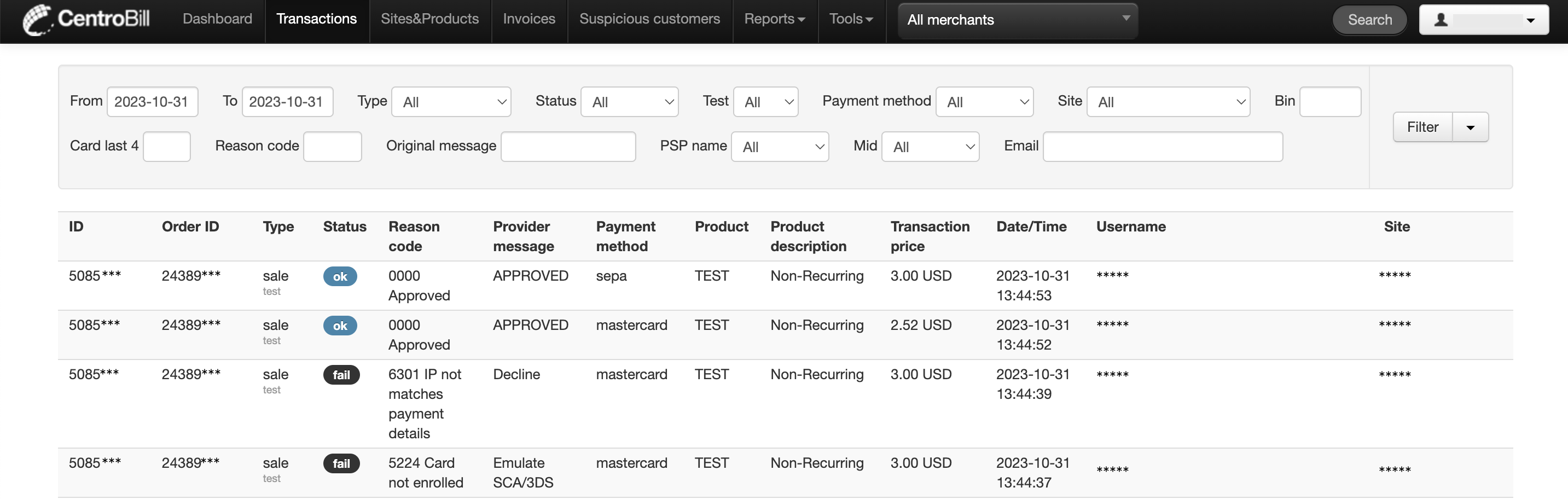
The expected result looks like this, with the successful transactions marked as ok, and failed ones as fail respectively:
Updated about 1 year ago
Did this page help you?