
Make credit (refund)
To make credit (refund):
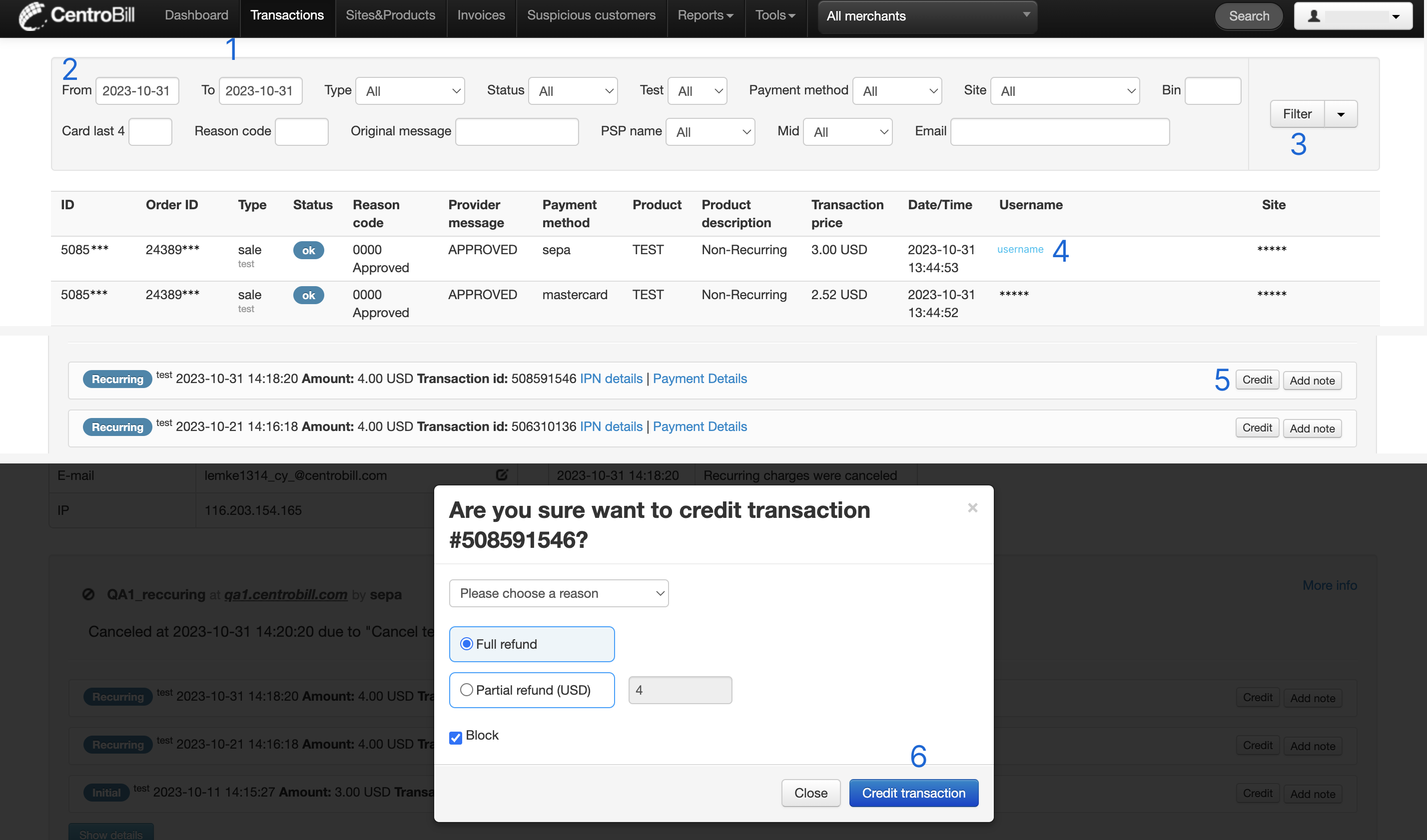
- Find the needed transactions by clicking Transactions in the top navigation bar.
- Select the preferred time frame using the calendar's date range selection. Apply additional filters, if needed.
- Click Filter. The transaction list opens.
- Once you have found the needed transaction in the list, click the hyperlink in the Username column. A page with the user's details opens.
- Scroll down to the bottom of the page and click Credit next to the transaction in question. A popup opens. In this popup:
- Choose the refund reason from the dropdown options
- Select partial or full refund amount
- Activate or deactivate the possibility of blocking user details by checking the Block checkbox
- Click Credit transaction.
NoteThe “Partial Refund” option and refunds via Onlinebanking, SEPA, and Crypto are not available to all merchants due to specifics of these payment methods. Contact our Merchant Support team for more details.
Updated about 1 year ago
Did this page help you?