
Resend IPN
To resend the IPN:
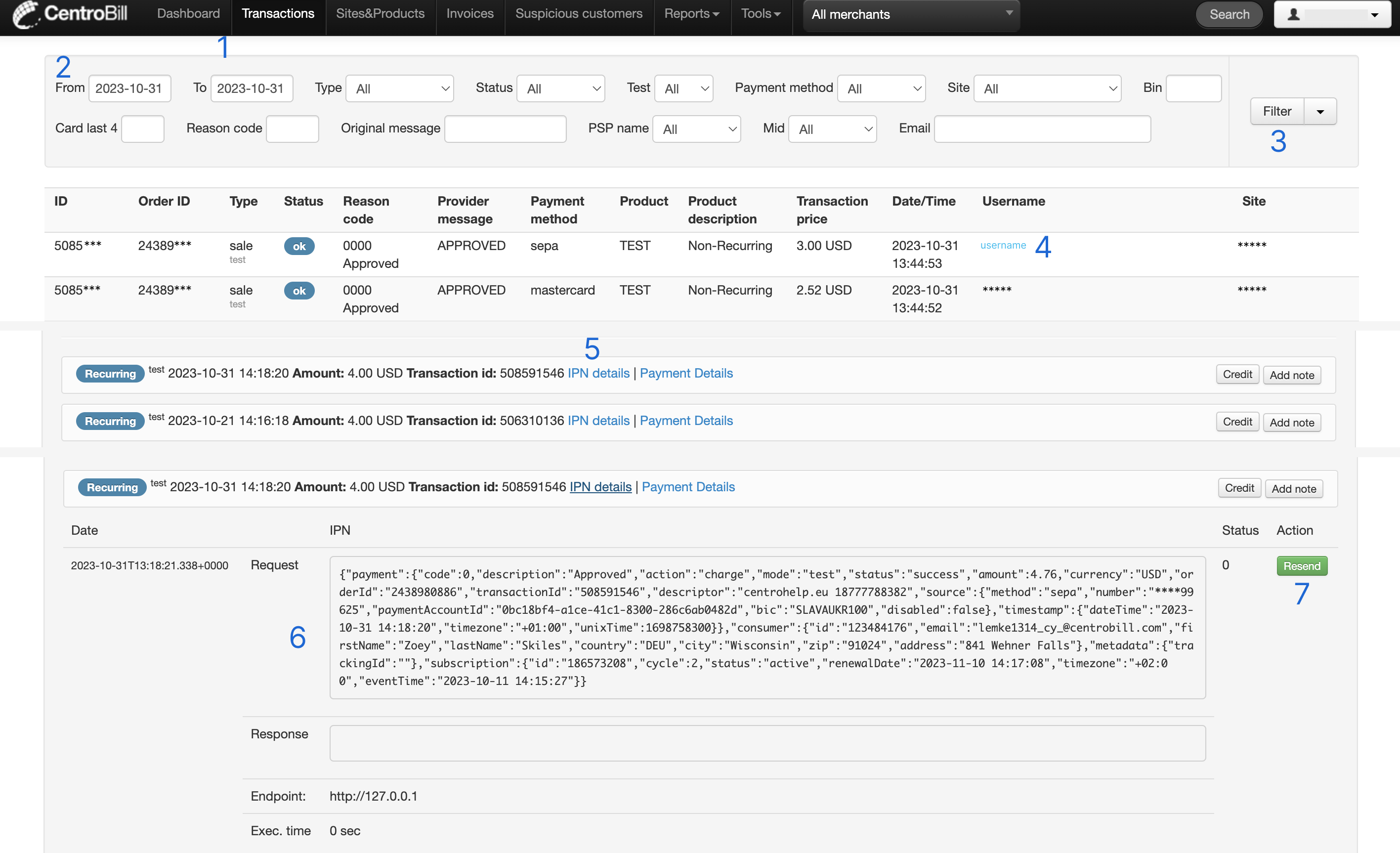
- Find the needed transactions by clicking Transactions in the top navigation bar.
- Select the preferred time frame using the calendar's date range selection. Apply additional filters, if needed.
- Click Filter.
- Once you have found the needed transaction, click the hyperlink in the Username column. A page with the user's details opens.
- Scroll to the bottom of the page and click the hyperlink IPN details. An information block appears, displaying the details of the server's request and response for the corresponding IPN.
- Analyze the request and response data for any errors or misconfigurations.
- If confident in the accuracy, click Resend.
NoteThe Response field should not contain "null".
Updated about 1 year ago
Did this page help you?