
Block/unblock users
Block a user
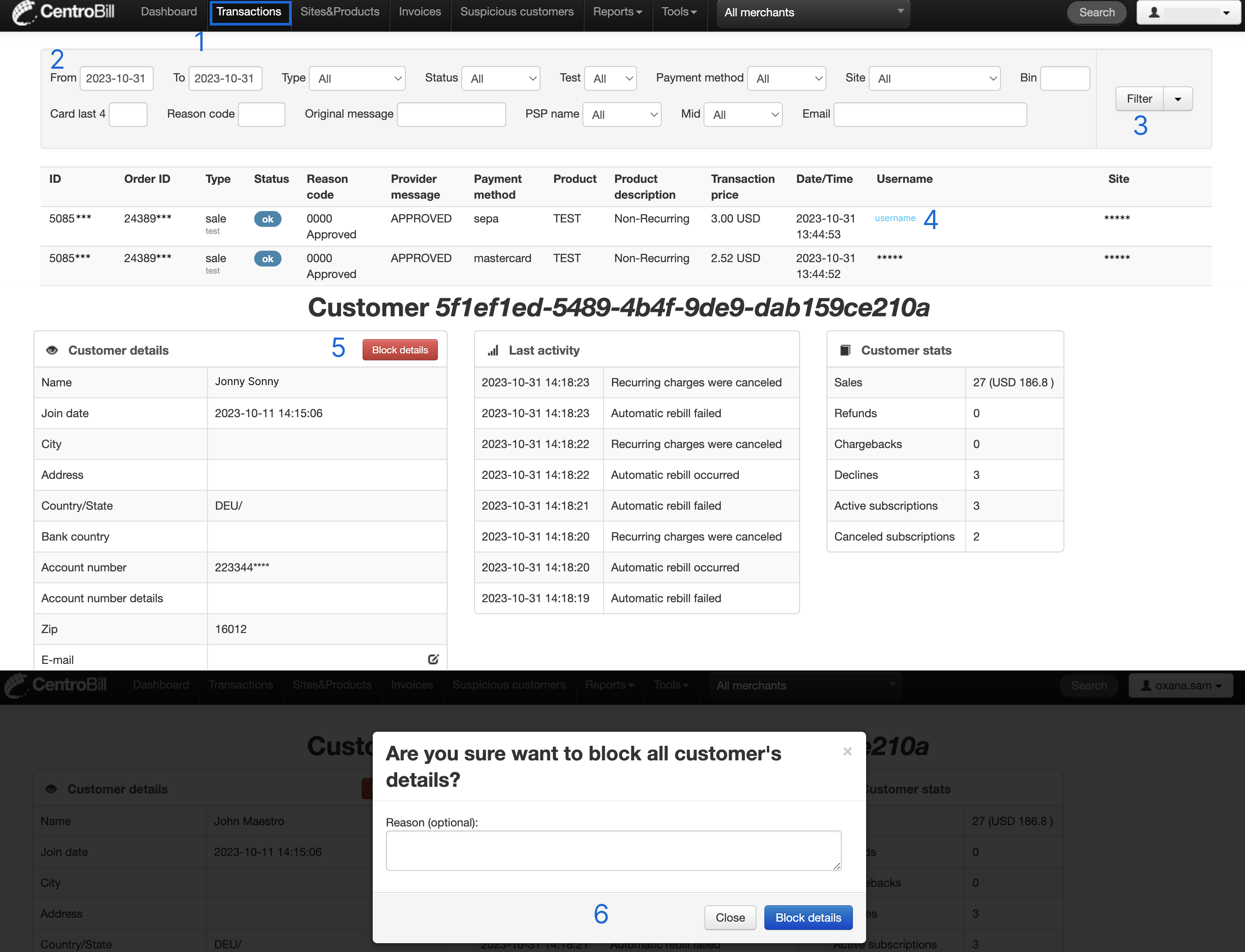
- Find the needed transactions by clicking Transactions in the top navigation bar.
- Select the preferred time frame using the calendar's date range selection. Apply any additional filters, if needed.
- Click Filter. The transaction list opens.
- Once you have found the needed transaction in the list, click the hyperlink in the Username column. A page with the user's details opens.
- Click Block details. A confirmation popup opens.
- Provide additional information regarding the block reason and click Block details.
Unblock user
To unblock a user:
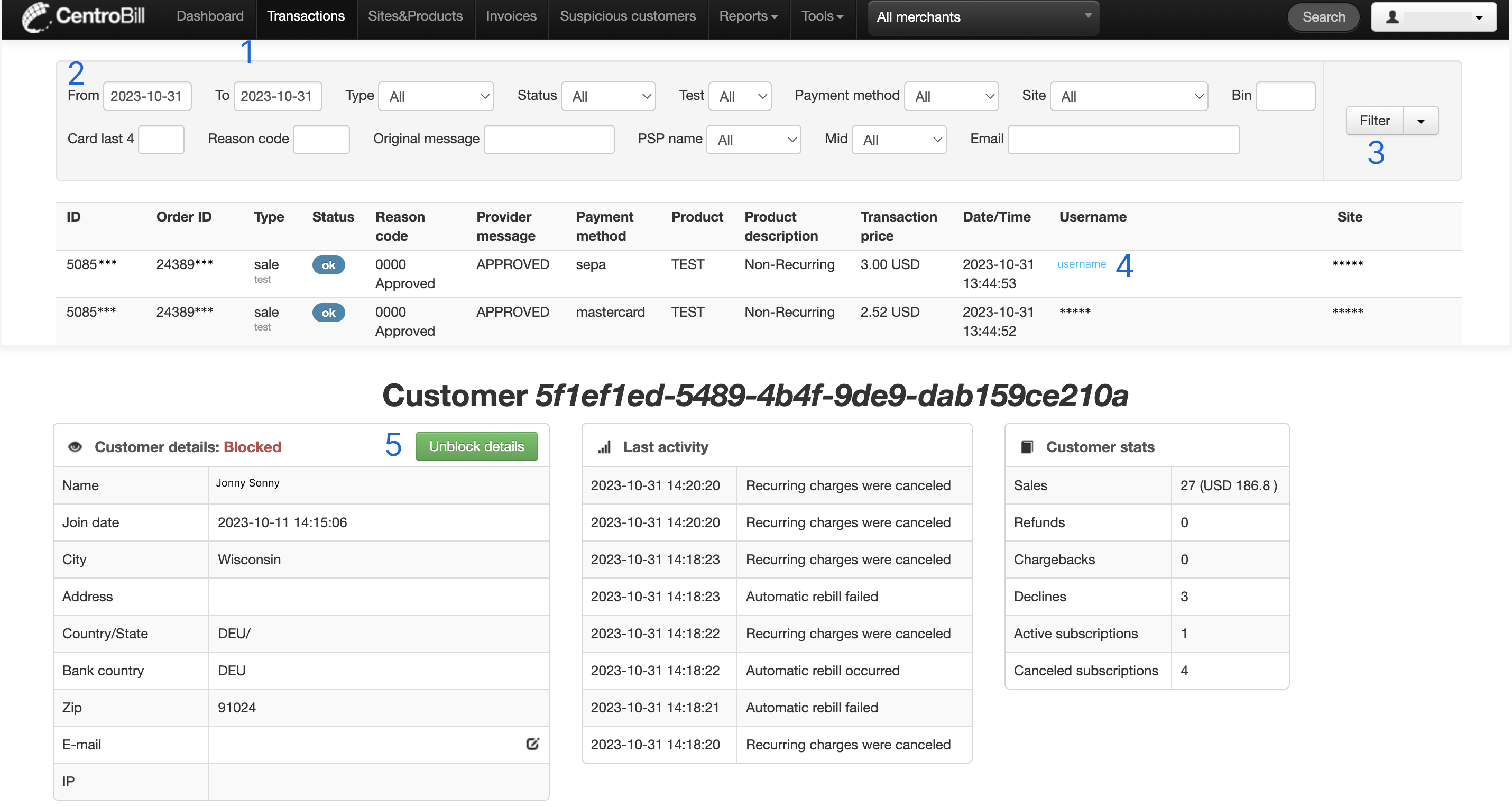
- Find the needed transactions by clicking Transactions in the top navigation bar.
- Select the preferred time frame using the calendar's date range selection. Apply any additional filters, if needed.
- Click Filter. The transaction list opens.
- Once you have found the needed transaction, click the hyperlink in the Username column. A page with the user's details opens.
- Click Unblock details.
Updated about 1 year ago
Did this page help you?